MP3-jPlayer 1.7.3

Updated 23rd September 2011 | Download at WordPress


This demo is running in WordPress 3.3.1 using the default Twenty Eleven theme.


Example single-file players -

Play from default folder, and autoplay it:


Shortcode:
[mp3j track="udulessig.mp3" autoplay="y"]


Adding a title and caption:


Shortcode:
[mp3j track="Udulessig@udulessig.mp3" caption="Matt Jones"]


Playing from the media library:


Shortcode:
[mp3j track="playedSquared.mp3"]


Playing a url:


Shortcode:
[mp3j track="www.sjward.org/seven.mp3"]


Flip button to other side, and add title:


Shortcode:
[mp3j track="Octopus@www.sjward.org/mp3/octopus.mp3" flip="y"]


Just a button and time/indicator:


Shortcode:
[mp3j track="playedSquared.mp3" title=""]


Text button instead of graphic:

Play 

Shortcode:
[mp3t track="nightdrive.mp3"]


Change the button text, and add a title:

Start me! 

Shortcode:
[mp3t track="Magic Carpet@magiccarpet.mp3" play="Start me!" stop="Pause it!"]


Flip button to other side, and remove time/indicator:

 Play

Shortcode:
[mp3t track="nightdrive.mp3" flip="y" ind="n"]


Just play/stop button and time/indicator, use normal font weight:

Play

Shortcode:
[mp3t track="iceman.mp3" title="" bold="n"]


Just play/stop button:

Play

Shortcode:
[mp3t track="iceman.mp3" title="" ind="n"]


Make it loop, and set the volume:

Play 

Shortcode:
[mp3t track="hangoverman.mp3" loop="y" vol="25"]


Play from subfolder of the default folder, add title, add caption, remove indicator, set volume, and use normal font weight:

Play 

Shortcode:
[mp3t track="Dolfinarium@jamma/dolfinarium.mp3" caption="by Matt" ind="n" vol="75" bold="n"]


In line with text without line breaking:

Listen to this… Start Me  …it’s by The Horse.

Shortcode:
[mp3t flow="y" play="Start Me" stop="Stop Me" track="Radiohorse@horse/Radiohorse.mp3"]
(note line height should be about 22px).


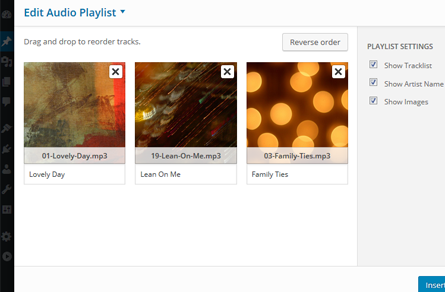
Example playlist players -

Make a playlist with tracks from default folder, media library, and urls:

Shortcode:
[mp3-jplayer tracks="udulessig.mp3, BroadStreet.mp3, www.sjward.org/seven.mp3"]


Make a playlist with tracks from default folder, media library, urls, add a couple of titles and some captions:

Shortcode:

[mp3-jplayer tracks="
Udulessig (studio)@udulessig.mp3, 
BroadStreet.mp3, 
Octopus (orig version)@www.sjward.org/mp3/octopus.mp3
" captions="
by Matt;
Bones;
reClock
"]


Make a playlist by feeding a folder:

Shortcode:
[mp3-jplayer tracks="FEED:/mp3/project1"]


Make a random playlist from a folder, pick a few tracks, shuffle them, turn off downloads, add a caption, close the playlist:

Shortcode:
[mp3-jplayer tracks="FEED:/mp3/project1" pick="5" shuffle="y" dload="n" captions="Recorded in 2000" list="n"]


Set width and height, remove prev/next buttons, use css mods (smaller fonts by default), set vol slider, put it on RHS but don’t float it, hide the playlist:

Shortcode:

[mp3-jplayer tracks="
Nightdrive@nightdrive.mp3,
Played Squared (Live)@playedsquared-live2007.mp3,
Iceman@iceman.mp3,
Flock South@www.sjward.org/mp3/FlockSouth.mp3,
Dawnraid@dawnraid.mp3,
" width="200px" height="77px" pn="n" mods="y" vol="45" pos="rel-R" list="n"]


Set width/height, use css mods, set vol slider, float it right, show the playlist:

Shortcode:

[mp3-jplayer tracks="
Nightdrive@nightdrive.mp3,
Played Squared (Live)@playedsquared-live2007.mp3,
Iceman@iceman.mp3,
Flock South@www.sjward.org/mp3/FlockSouth.mp3,
Dawnraid@dawnraid.mp3,
" width="35%" height="100px" mods="y" vol="80" pos="right" list="y"]


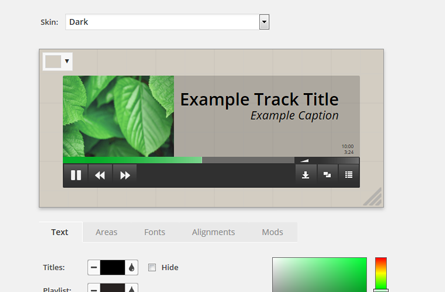
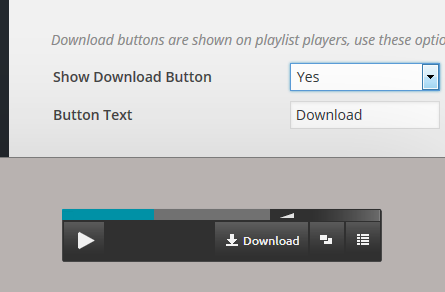
More options on the settings page. For more shortcode parameters see the help on the settings page.